ASCIILANDSWIKI & TOOLSPlay Asciilands ↗
MAPS & RESOURCE FINDER

Find the region.
Recognize the resource.

Choose a resource, check your tool, and open the community map for your realm.

PLAN YOUR NEXT TRIP

Your world, your realm.

Asia Pacific, Europe and North America have separate characters and player-built worlds. Match the realm selector on the community map to the server you play on.

In the game

M Open the map

Right-click Place a waypoint

Waypoints and death markers ↓
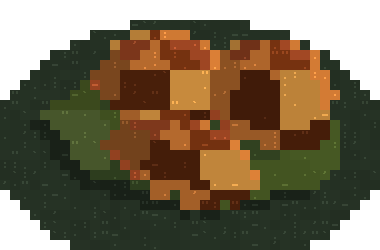
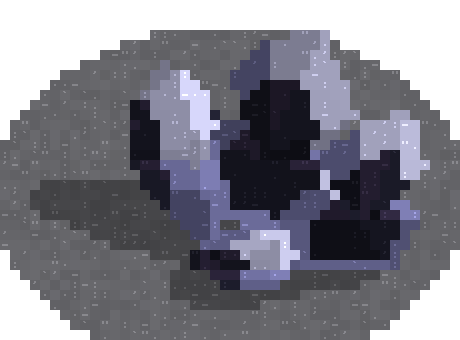
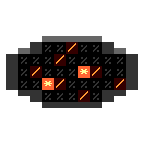
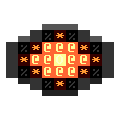
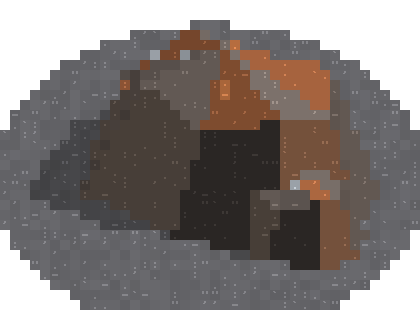
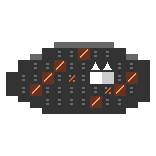
LOOK FOR THESE SHAPES

Recognize the deposit.

These are game-rendered deposit references. Their position, lighting and surroundings vary in the world. Use the item icon to check what you collected.

READ THE REGION NAME

Where each resource belongs.

Limestone Karst

…Crags

Mine tin here, or use a Panning Tray at water edges for Tin Grains.

Highlands

…Heights

For iron, equip a finished Bronze Pickaxe or a higher tier.

Cypress Swamp

…Fen

Bog Iron is another route to Iron Ingots. It also needs a Bronze Pickaxe or better.

Volcanic Wastes

…Ashlands

Look for mineable black-and-violet glass clusters. Ember Cores come from the Cinder Colossus, not from mining.

LEAVE A TRAIL BACK

Use waypoints before you leave.

  1. Open M and choose the World or Local map.
  2. Right-click a location to set a marker. Click a marker to rename or remove it.
  3. Keep your primary destination on the route you want to follow. Other waypoints appear in their own regions.

Sources & version

Region and tool references checked 29 October 2026 against the player wiki and game version 0.3.5 notes. Waypoints and death markers arrived in 0.3.4. The community maps are operated by that wiki.

Find your next step

Search guides, materials and recipes Esc to close